Security-checking code with AI: catching SQL injection
You need: ChatGPT (chatgpt.com), Python 3 (sqlite3 is built in)
AI is quite good at reading code for security mistakes, especially the well-known ones. But something isn’t true just because an AI said it. In this post ChatGPT reviews a weak login function, and then we attack it on our own machine to check. At the end we look at the risks of AI apps themselves.
Step 1: Give the code and a clear instruction
The Flask code below logs a user in with a phone number and a PIN. Tell ChatGPT what you want: each problem, its severity, why it is dangerous, and fixed code.
Review this Flask code for security problems. List each problem with its severity (high, medium or low), why it is dangerous, and a fixed version. Use parameterized queries.
@app.route("/login", methods=["POST"])def login():    phone = request.form["phone"]    pin = request.form["pin"]    row = db.execute(        f"SELECT id FROM users WHERE phone = '{phone}' AND pin = '{pin}'"    ).fetchone()    if row:        session["user_id"] = row[0]        return redirect("/dashboard")    return "Wrong phone or PIN", 401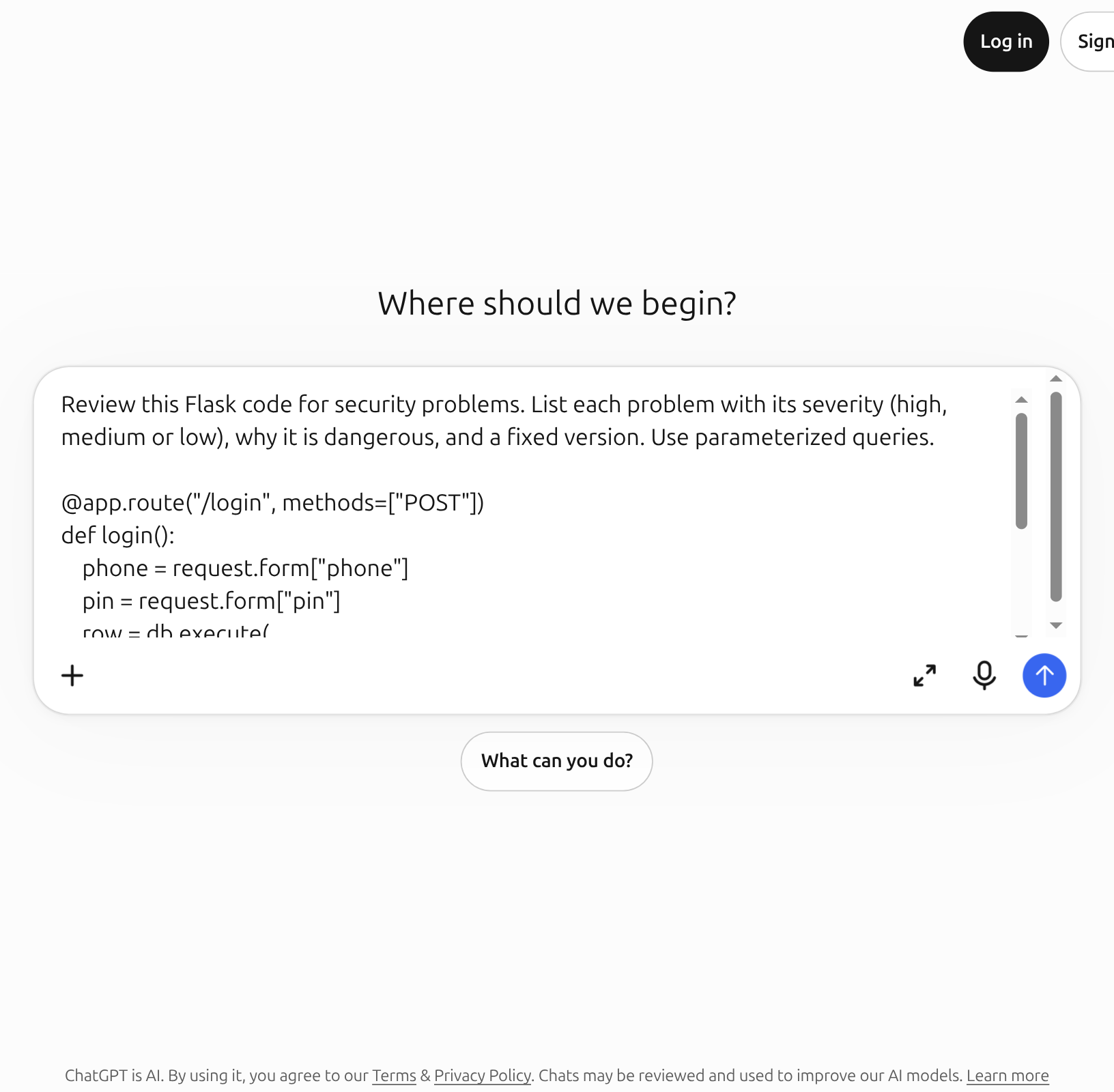
Tap the picture to see it full size
- 1The request with the code
- 2Send button
Step 2: Read the AI’s list
Tap the picture to see it full size
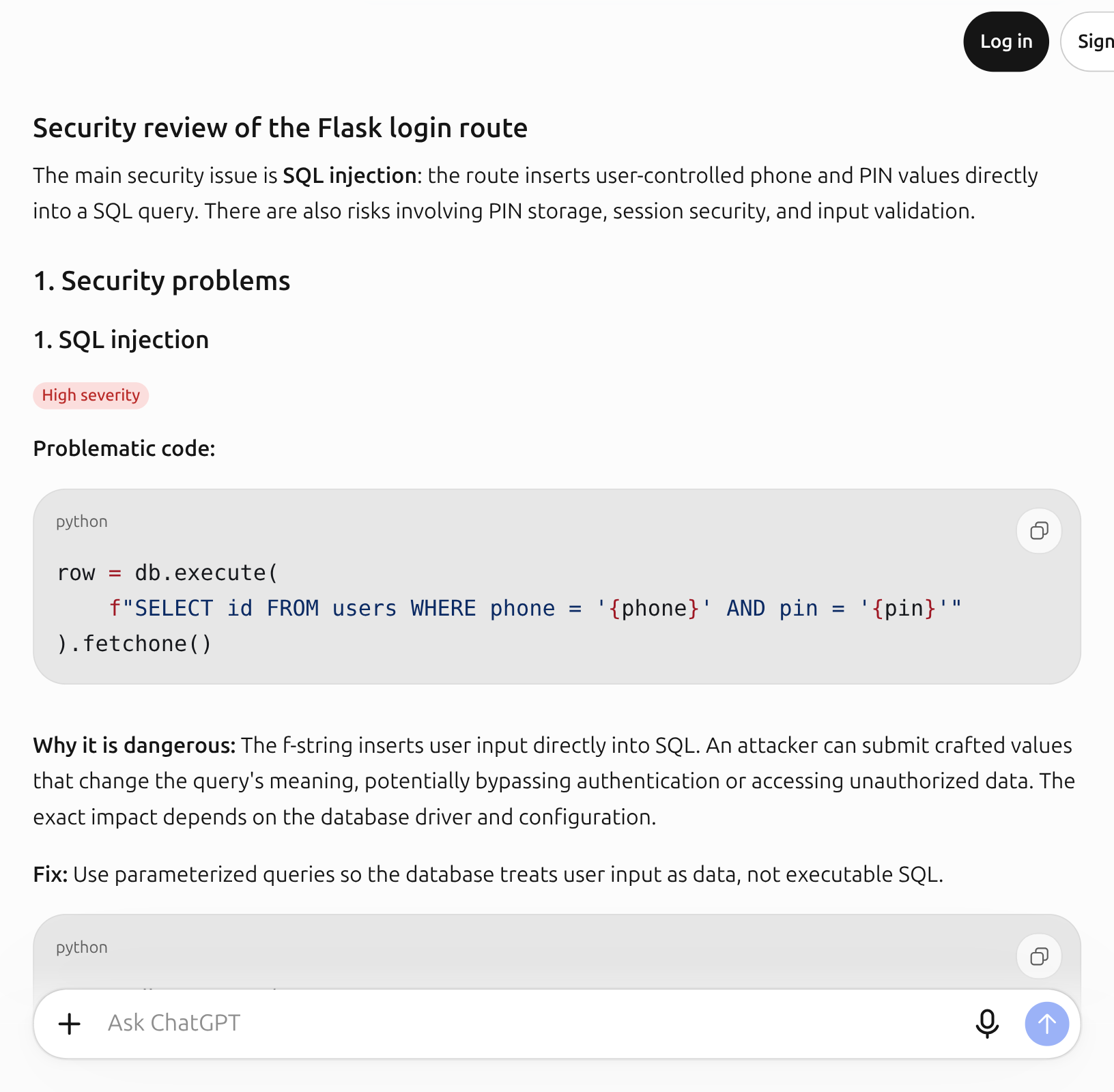
- 1First problem: SQL injection, high severity
ChatGPT put SQL injection at the top, high severity: the phone and PIN go straight into the SQL text, so crafted input can change what the query means. Then more: PINs possibly stored in plaintext, no rate limiting against repeated guesses, and session handling.
We asked about one problem and got several. That’s the strength of an AI review: it walks a checklist and looks at every side. But whether each claim on the list is true is for you to check.
Step 3: Look at the fixed code
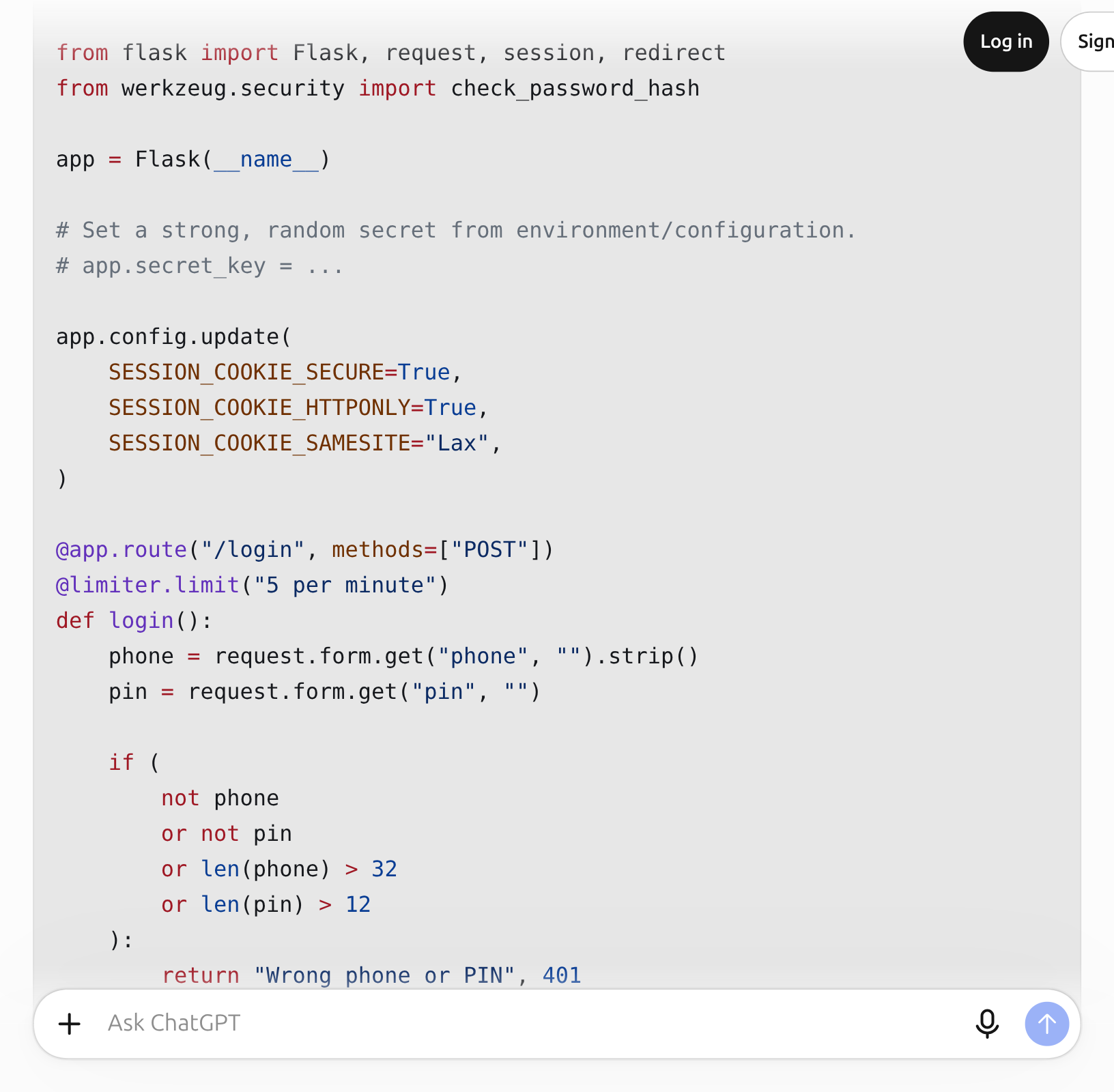
Tap the picture to see it full size
- 1The fixed code: only ? in the SQL, values sent separately
The key change is small. Before, the phone and PIN were pasted into the SQL text. Now the SQL holds only ?, and the values travel separately. The database then treats the input as data, never as part of the SQL. This is the first defence in OWASP’s SQL injection prevention cheat sheet.
Step 4: Attack your own machine to check
Before accepting the AI’s word, see for yourself. Save the file below as sqli_demo.py. It has an in-memory database with one user whose PIN is 4821, and two login functions: the old (unsafe) one and the fixed one.
import sqlite3
db = sqlite3.connect(":memory:")db.execute("CREATE TABLE users (id INTEGER, phone TEXT, pin TEXT)")db.execute("INSERT INTO users VALUES (1, '01711000000', '4821')")
def login_unsafe(phone, pin):    return db.execute(f"SELECT id FROM users WHERE phone = '{phone}' AND pin = '{pin}'").fetchone()
def login_safe(phone, pin):    return db.execute("SELECT id FROM users WHERE phone = ? AND pin = ?", (phone, pin)).fetchone()
attack = ("01711000000", "' OR '1'='1")print("unsafe, right PIN:", login_unsafe("01711000000", "4821"))print("unsafe, attack   :", login_unsafe(*attack))print("safe,   right PIN:", login_safe("01711000000", "4821"))print("safe,   attack   :", login_safe(*attack))
Run python3 sqli_demo.py. The real output on our machine:
unsafe, right PIN: (1,)unsafe, attack : (1,)safe, right PIN: (1,)safe, attack : NoneLook at the second line: without knowing the PIN, typing ' OR '1'='1 logged in through the unsafe function. The fixed function returns None for the same attack, so no login, while the right PIN still works. Now the AI’s claim is proven.
Step 5: Test the AI’s fixes too
In its section on rate limiting, ChatGPT gave this Flask-Limiter example (copied from the answer):
@limiter.limit("5 per minute")@app.route("/login", methods=["POST"])def login(): ...It looks right. We ran seven login attempts on our machine with Flask 3.1.3 and Flask-Limiter 4.1.1:
limit-above-route : [200, 200, 200, 200, 200, 200, 200]route-above-limit : [200, 200, 200, 200, 200, 429, 429]In the AI’s order (@limiter.limit on top) all seven attempts got through: no limit at all. With @app.route on top, the sixth attempt onward gets 429 (too many requests), which is also the order the Flask-Limiter documentation uses. Oddly, the complete example at the end of the same answer had the order right. In our Bangla run it was right from the start.
The lesson: a security fix that “looks right” isn’t enough. Run it and check that the attack is really stopped.
Step 6: What the AI doesn’t see
The AI reads only the code you show it. It doesn’t see how PINs are stored in the database, whether the server uses HTTPS, or what goes into the logs. So an AI review is a first filter, not the last word. You still need regular tools (such as Bandit for Python) and human review.
And before you paste code for review, remove passwords, API keys and real customer data from it.
The risks of AI apps themselves
If you build an app on AI yourself (say, a chatbot that answers customers), new kinds of risk arrive. The first three on OWASP’s 2026 LLM list:
- Prompt injection: instructions hidden in user text, or in a website or file, change the AI’s behaviour. OWASP notes such instructions can work even if a human can’t see them, and that RAG or fine-tuning do not fully prevent it.
- Sensitive information disclosure: the AI reveals in its answers what it shouldn’t, such as another customer’s details.
- Excessive agency: giving the AI too much power, such as issuing refunds or sending emails on its own. With a wrong instruction, it may really do it.
The general rule: distrust the AI’s output as much as user input, and give the AI only as much power as it truly needs.
Sources
- OWASP, SQL Injection Prevention Cheat Sheet: parameterized queries as the first defence.
- OWASP GenAI Security Project, Top 10 for LLM Applications 2026 (August 2026) and LLM01 Prompt Injection: the list of AI app risks.
- Flask-Limiter, Documentation: the documentation’s examples put
@app.routeon top and@limiter.limitbelow it. - GitHub Docs, Best practices for using GitHub Copilot: always check AI code, with tests and code scanning.
Screenshots and steps checked: . AI answers can be wrong. For anything that matters, such as money, health, law or exams, always check against the original source or an expert. Never give any AI your password, PIN, national ID or bank details.