Study with AI: ask for questions, not answers
You need: Gemini (gemini.google.com), your textbook
Ask an AI a question and it gives you the answer. But in the exam hall there is no AI, only you. So while studying, turn it around: ask the AI to question you. Learning research says the same: working out an answer yourself is what makes it stick. In this post we practise an SSC biology chapter with Gemini.
Step 1: Open Gemini
In your phone browser, type gemini.google.com. You can ask questions without signing in to a Google account. You type in the box at the bottom.
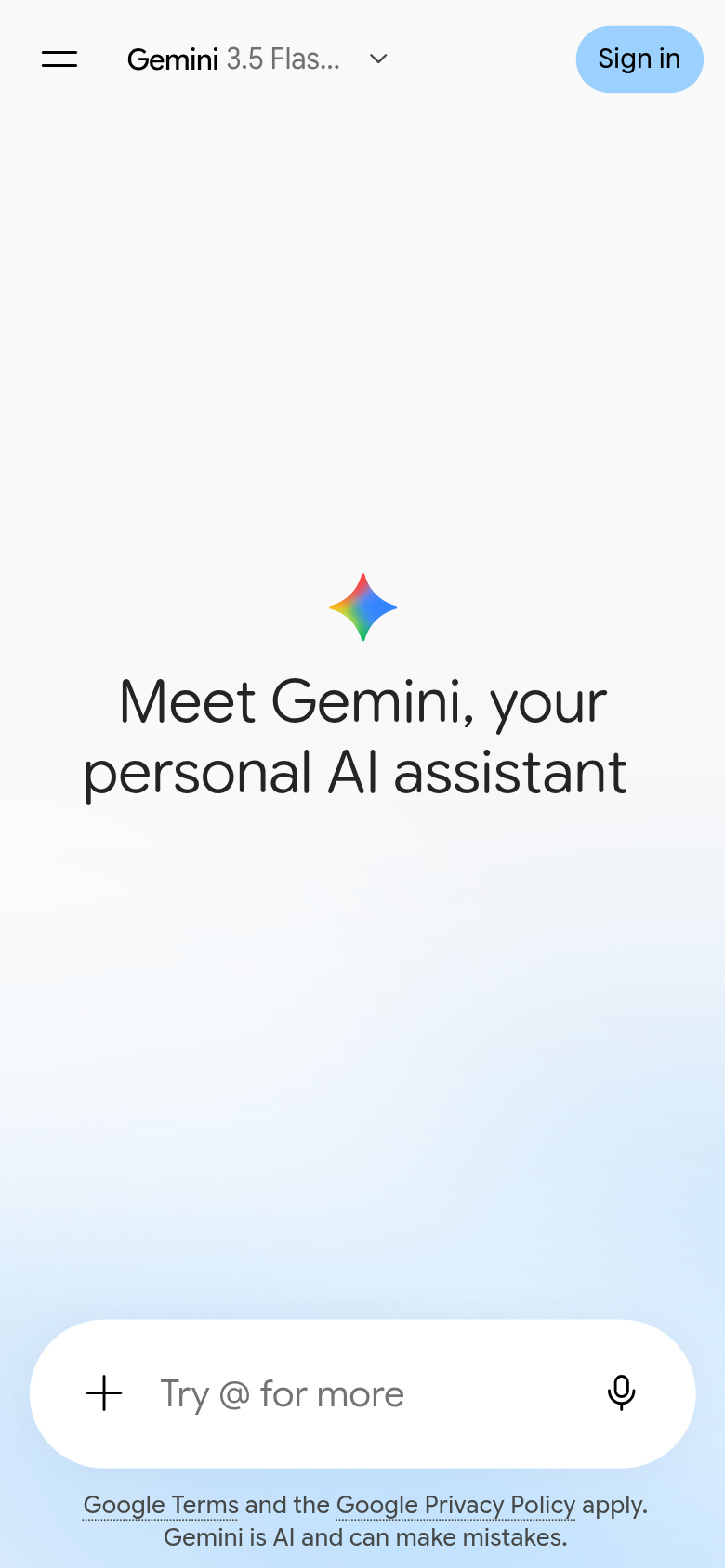
- 1You type here
Step 2: Say who you are and set the rules
OpenAI’s help page for study mode says you get better help when your first message includes your class or level, the subject and chapter, what you want to do, and when the exam is. Add two rules: one question at a time, and no answers first.
I am a Class 10 student preparing for the SSC exam, science group. I am studying the photosynthesis chapter in biology, and the exam is next week. Ask me one question at a time. Wait for my answer, then explain simply if I got something wrong. Don't tell me the answer first.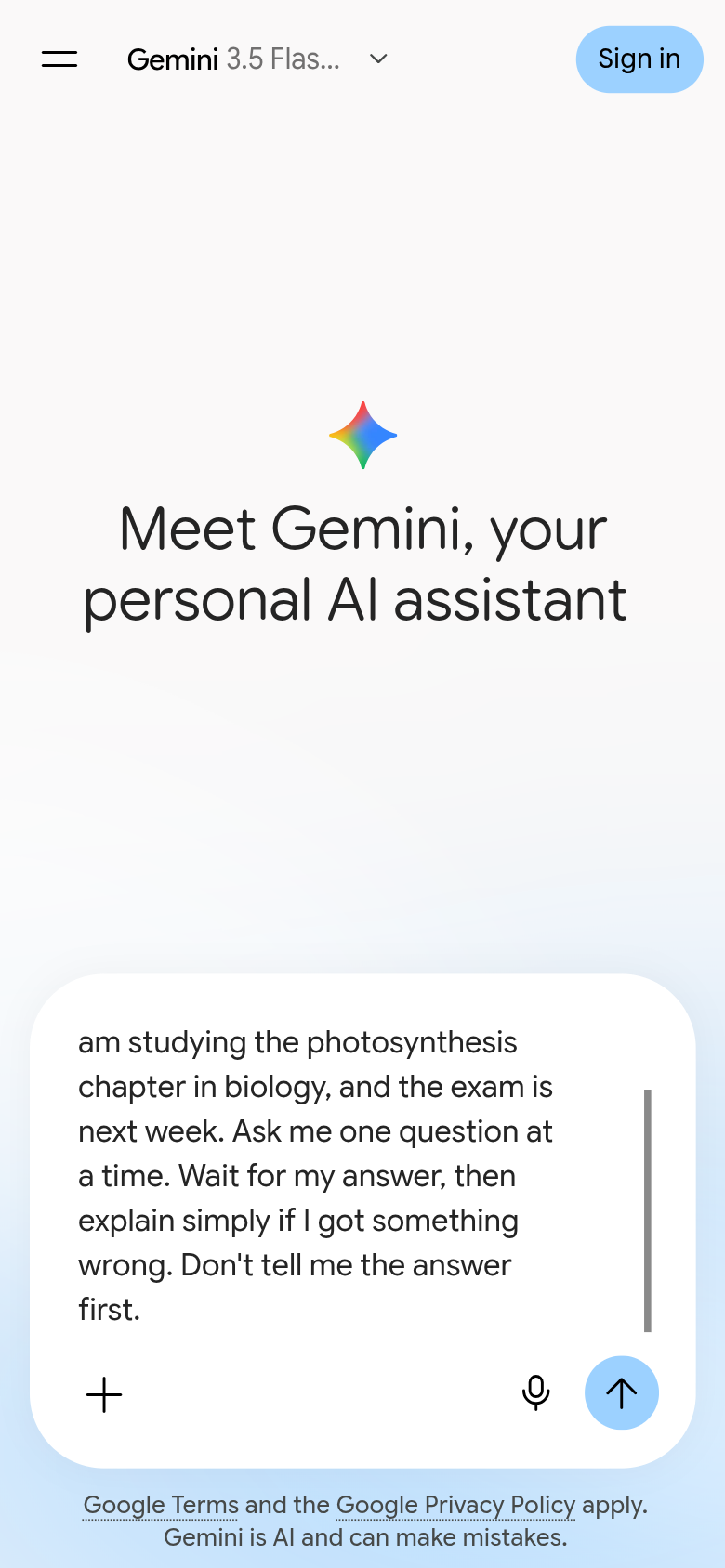
- 1Type the request, then tap the arrow button on the right
Step 3: Answer from your own head
Gemini followed the rules: no answer, just the first question.
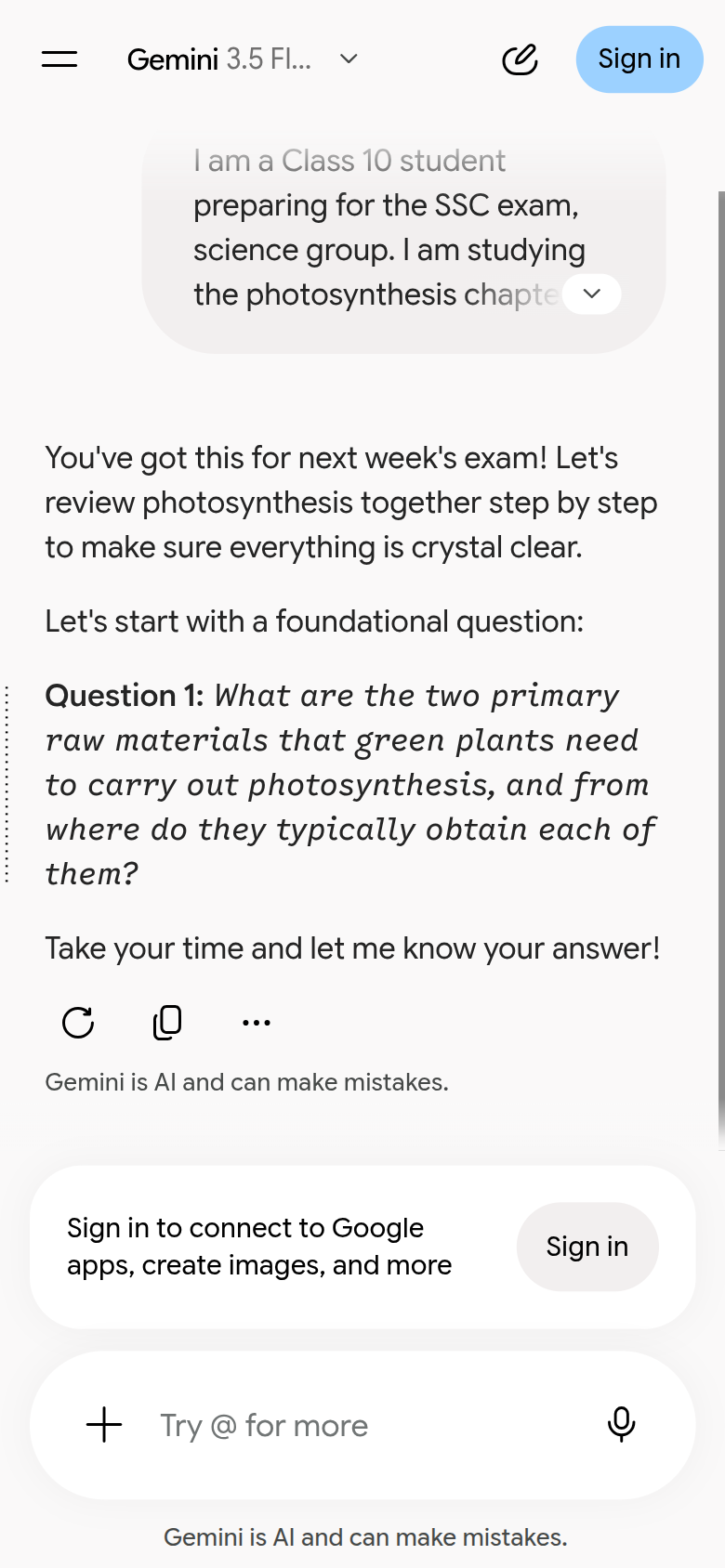
- 1The first question, with no answer
Answer without looking at the book. It’s fine to be wrong; that’s how you learn. We gave a common wrong answer on purpose:
My answer: in photosynthesis the plant takes in oxygen and gives out carbon dioxide.Step 4: Read the explanation
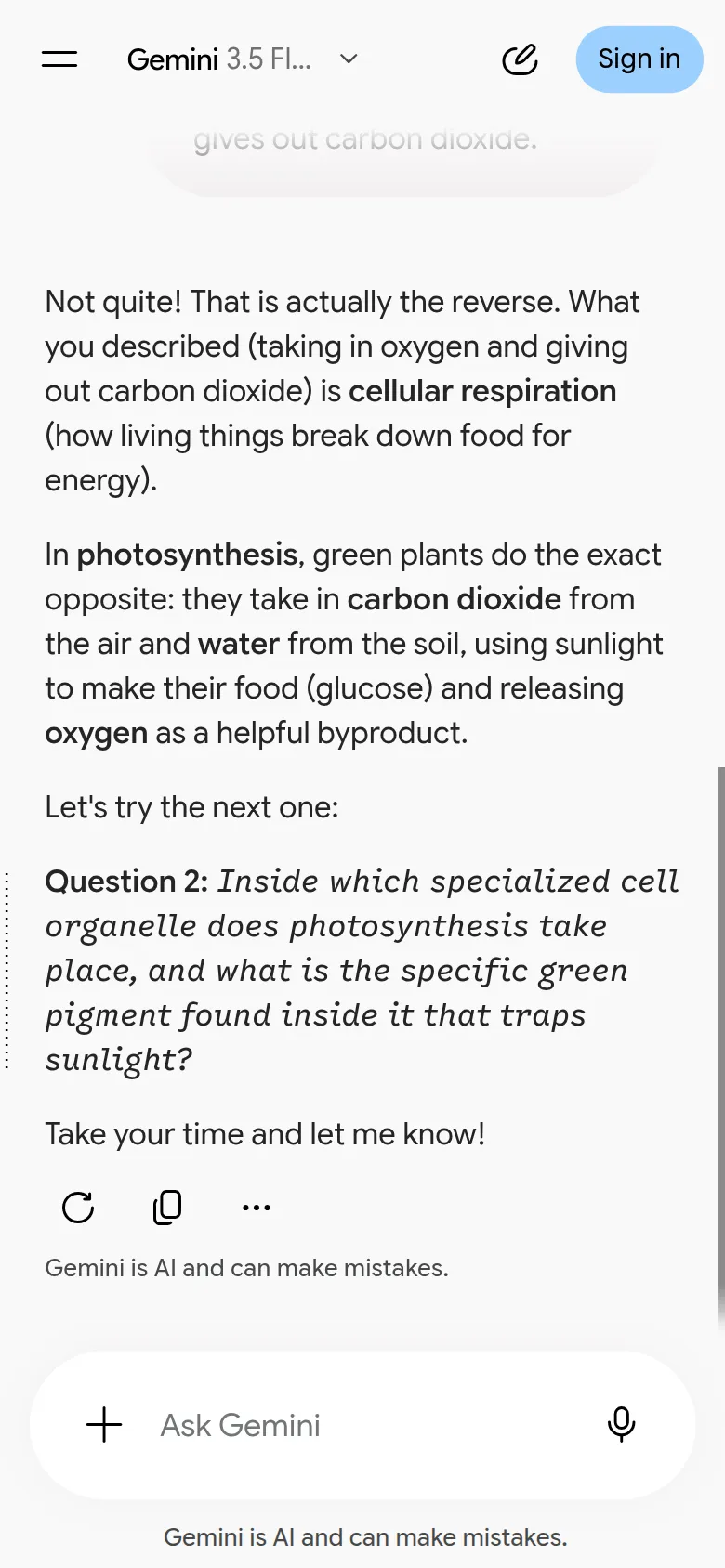
Gemini caught that the answer is the reverse. It gave the right version, and named where the mix-up comes from: what we described is cellular respiration. Then it moved on to the next question.
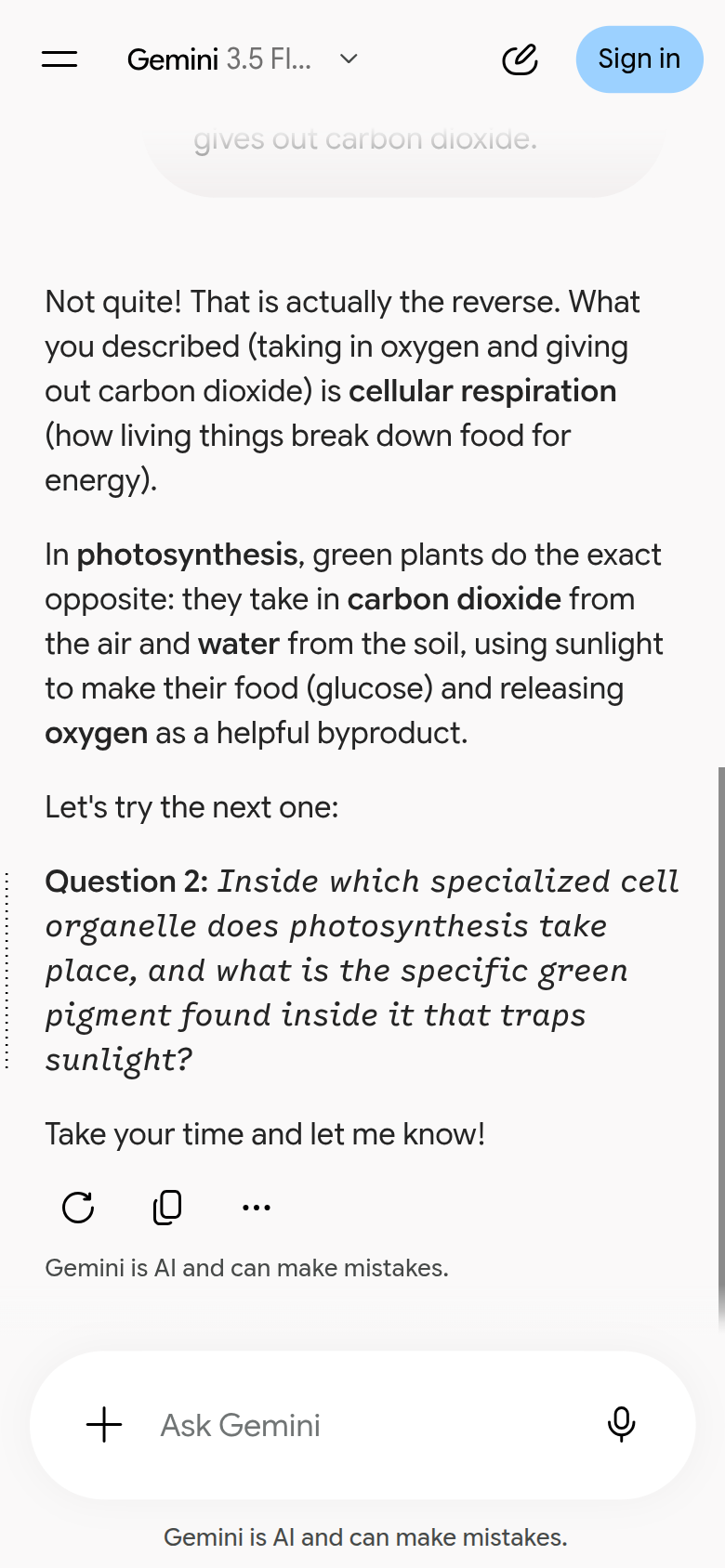
- 1The explanation and the next question
If it’s still unclear, write “explain it more simply”, “give me an example” or “ask me another question on this”.
Step 5: Check against your textbook
The explanation is good, but definitions, spellings and numbers from an AI can be wrong. Take the definition you write in the exam from your textbook. The AI’s job is to explain and to drill you; the book has the last word.
Sources
- OpenAI Help Center, Using study mode in ChatGPT: what to put in the first message, one question at a time, and school AI policies.
- Google, Guided Learning in Gemini: From answers to understanding (August 2025): the question-led learning mode and the learning research behind it.
Screenshots and steps checked: . AI answers can be wrong. For anything that matters, such as money, health, law or exams, always check against the original source or an expert. Never give any AI your password, PIN, national ID or bank details.