Debugging with AI: give it the code, the error and what you expected
You need: ChatGPT (chatgpt.com), Python 3, pytest
Write “my code doesn’t work, fix it” and the AI answers with a guess. Simon Willison, in his post on using LLMs for code, says most of the craft comes down to context: what you show the AI. For debugging you need three things: the code, the full error, and what you expected.
Step 1: Run the bug yourself first
Our online shop writes prices like “৳ 1,250”. This function should read the number out of that text:
def parse_price(text):    # "৳ 1,250" -> 1250    return int(text.replace("৳", "").strip())
print(parse_price("৳ 1,250"))
Running it gives the real error:
Traceback (most recent call last): File "price.py", line 5, in <module> print(parse_price("৳ 1,250")) File "price.py", line 3, in parse_price return int(text.replace("৳", "").strip())ValueError: invalid literal for int() with base 10: '1,250'Step 2: Give all three together
Paste the whole traceback, not just the last line. Say in what order you want the answer: cause first, then the fix, then tests. And describe what your real data looks like. Our site also shows prices in Bangla digits, so we said so.
My Python function crashes. Explain the cause first, then give the smallest fix, then write pytest tests.
Code (price.py):def parse_price(text):    # "৳ 1,250" -> 1250    return int(text.replace("৳", "").strip())
print(parse_price("৳ 1,250"))
Error:Traceback (most recent call last):  File "price.py", line 5, in <module>    print(parse_price("৳ 1,250"))  File "price.py", line 3, in parse_price    return int(text.replace("৳", "").strip())ValueError: invalid literal for int() with base 10: '1,250'
Expected: 1250. Prices on our site can also look like "৳950", " ৳ 1,250 " or use Bangla digits, like "৳ ১,২৫০".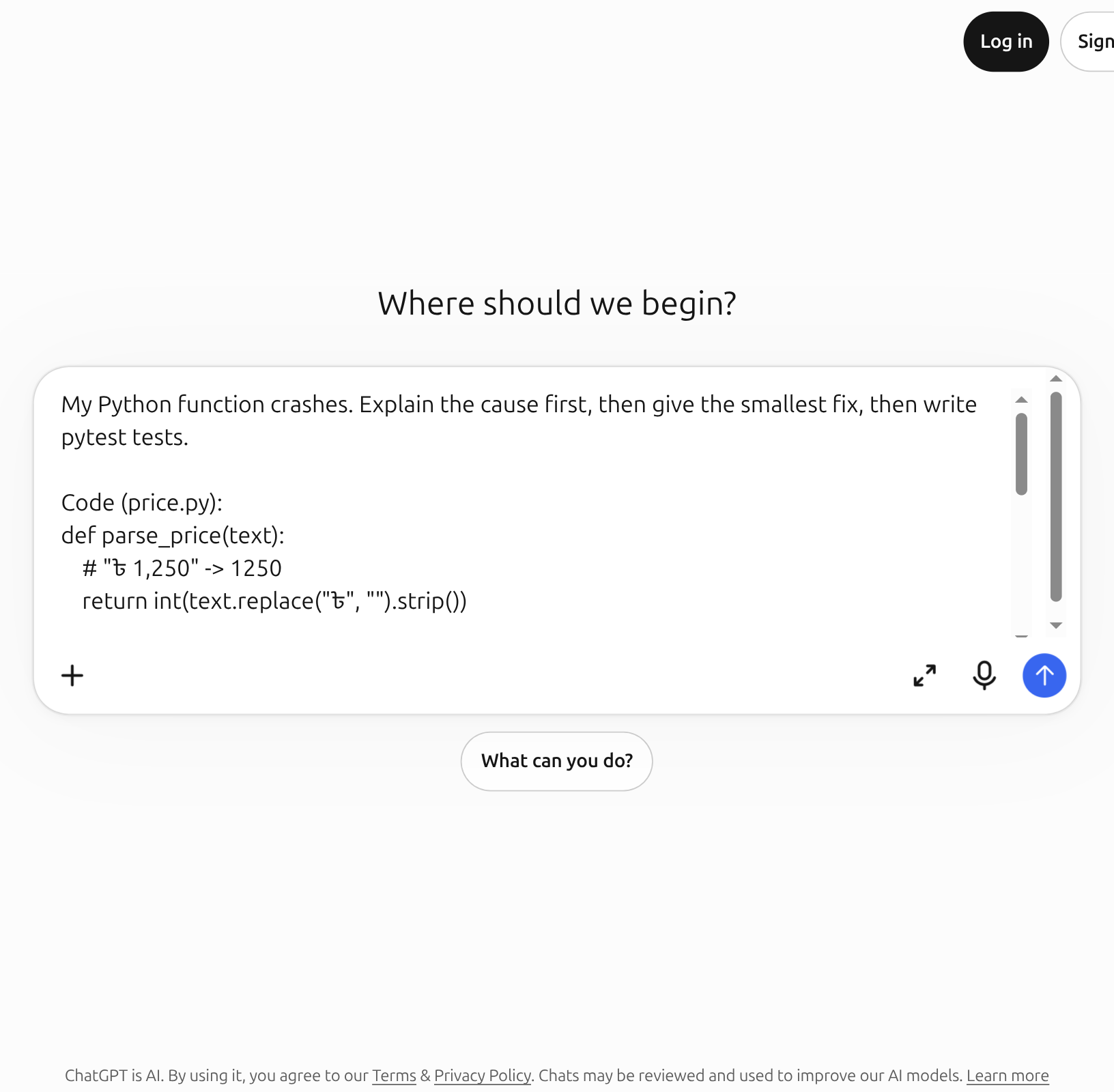
Tap the picture to see it full size
- 1Code, error and expectation together
- 2Send button
Step 3: Read the cause first
Tap the picture to see it full size
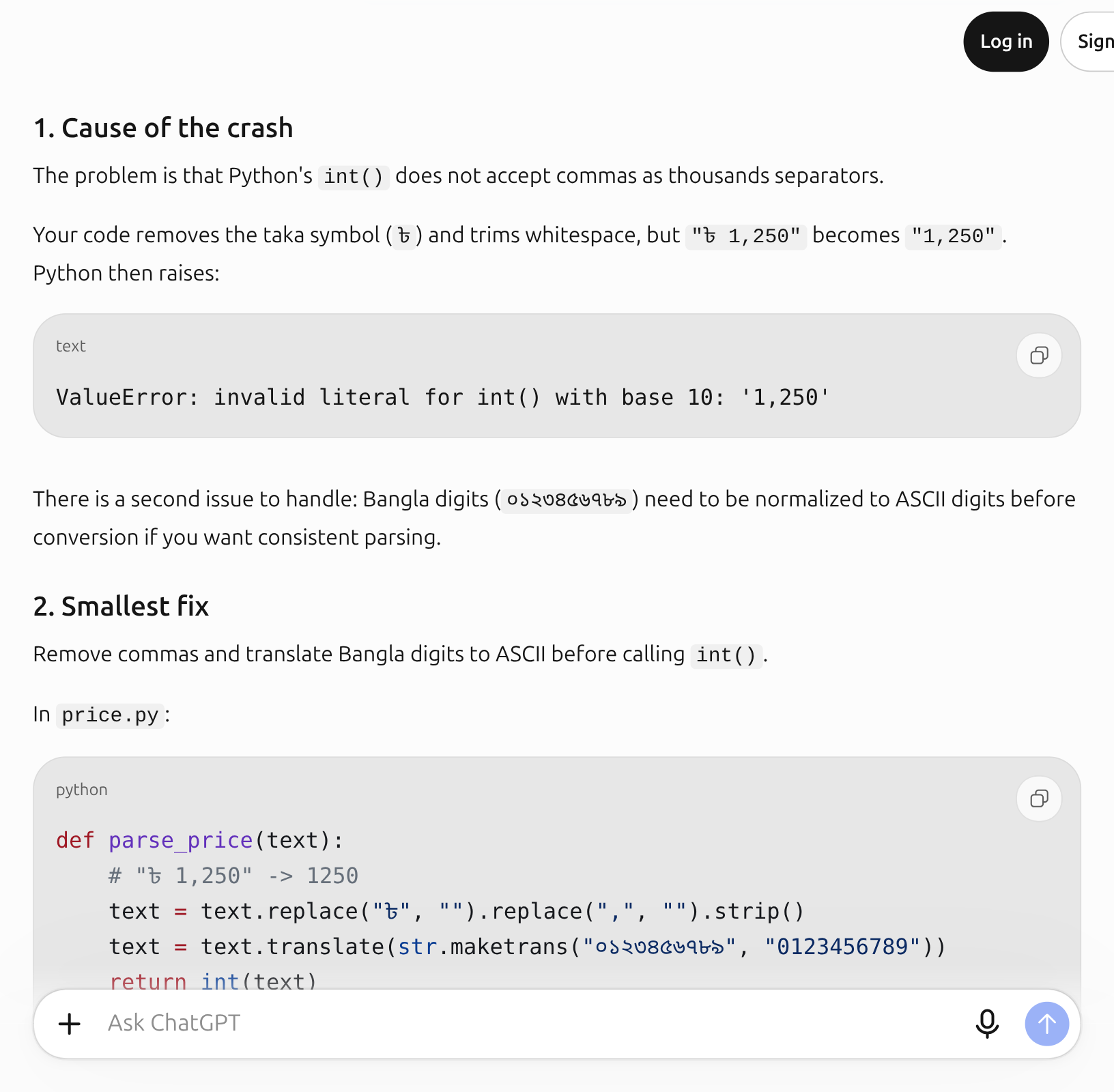
- 1The cause, then the smallest fix
The cause is simple: the ৳ and the outer spaces were removed, but the comma in the middle stayed. The fix removes commas with .replace(",", ""), and this time ChatGPT also converted Bangla digits to ASCII digits with str.maketrans before calling int().
(In our Bangla run of the same test, ChatGPT instead said Python’s int() already reads Bangla digits, so no conversion is needed. Two different answers; we tested both.)
Step 4: Run the AI’s tests on your machine
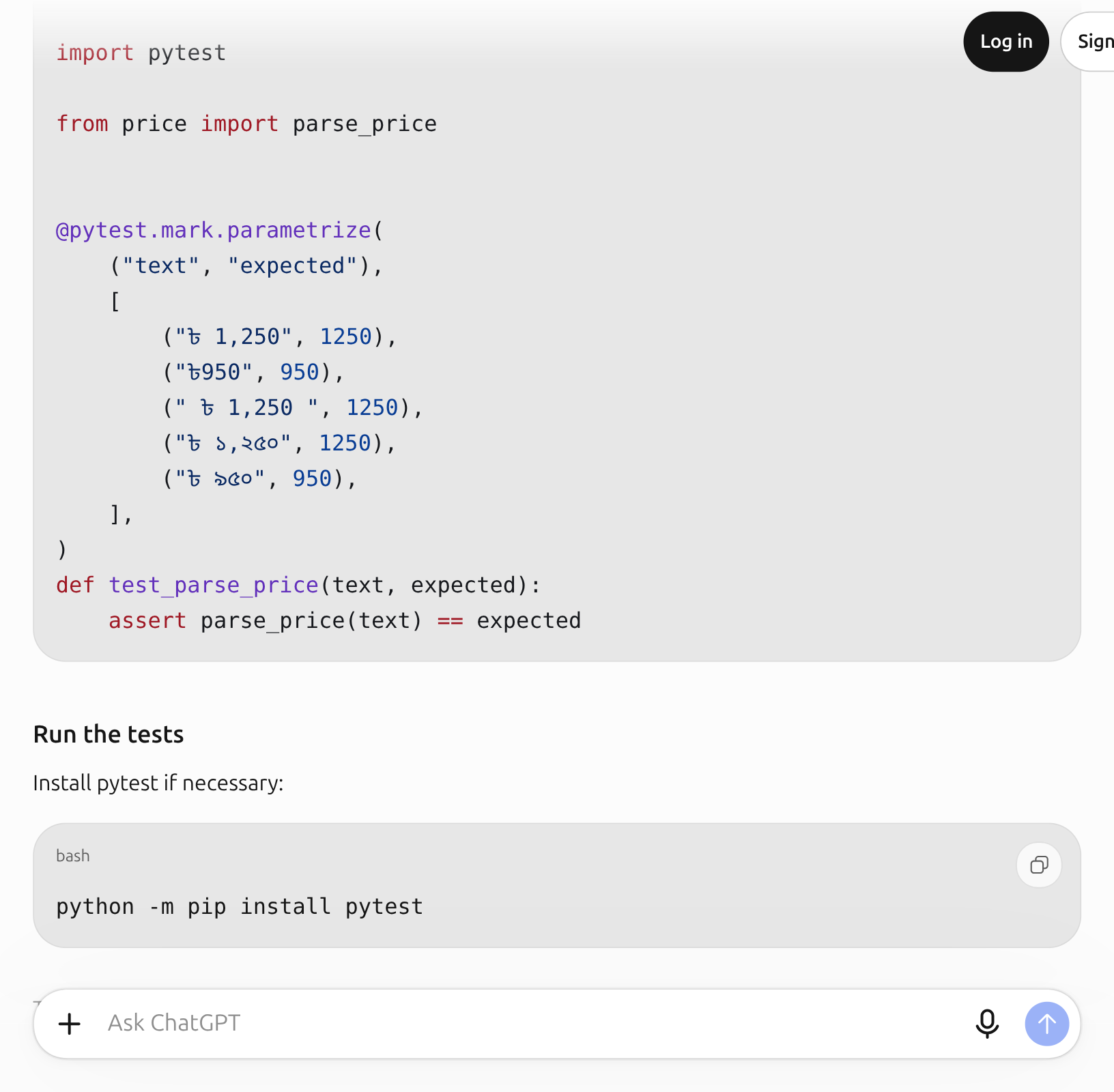
Tap the picture to see it full size
- 1The AI's tests: five inputs, including Bangla digits
Put the fixed function in price.py and the tests in test_price.py, then run them. The real result on our machine:
..... [100%]5 passed in 0.01sAll five pass, including “৳ ১,২৫০”. The other answer, without the conversion, also passed its own four tests: Python’s int() really does accept Bangla digits. We know that now because we ran it.
Step 5: Think beyond the tests
Tests only prove what you asked. We ran two more inputs that weren’t in the request:
'Tk 1,250' -> ValueError: invalid literal for int() with base 10: 'Tk 1250''৳ 1,250.50' -> ValueError: invalid literal for int() with base 10: '1250.50'Both crash. That isn’t the AI’s fault; we never mentioned them. Look at how prices really appear in your database, and add those forms to the request and the tests.
Sources
- Simon Willison, Here’s how I use LLMs to help me write code (March 2025): why context matters, fresh conversations, and testing the AI’s code.
- GitHub Docs, Best practices for using GitHub Copilot: break tasks down, give examples, and check AI code with tests.
Screenshots and steps checked: . AI answers can be wrong. For anything that matters, such as money, health, law or exams, always check against the original source or an expert. Never give any AI your password, PIN, national ID or bank details.