Claude 101: what it does, and the one fact that makes your limit last
You need: Claude (claude.ai), Claude Code
Claude is Anthropic’s AI for writing, reading long PDFs, working with data, and coding (Claude Code, in the terminal). Chatting needs no technical knowledge, only three habits: say clearly what you want (the four parts of a prompt), check the answer, and know the fact below.
The one fact: Claude rereads the whole chat
With every message you send, Claude rereads the entire conversation. So message 30 of a long chat costs far more than message 1. Every tip below follows from this.
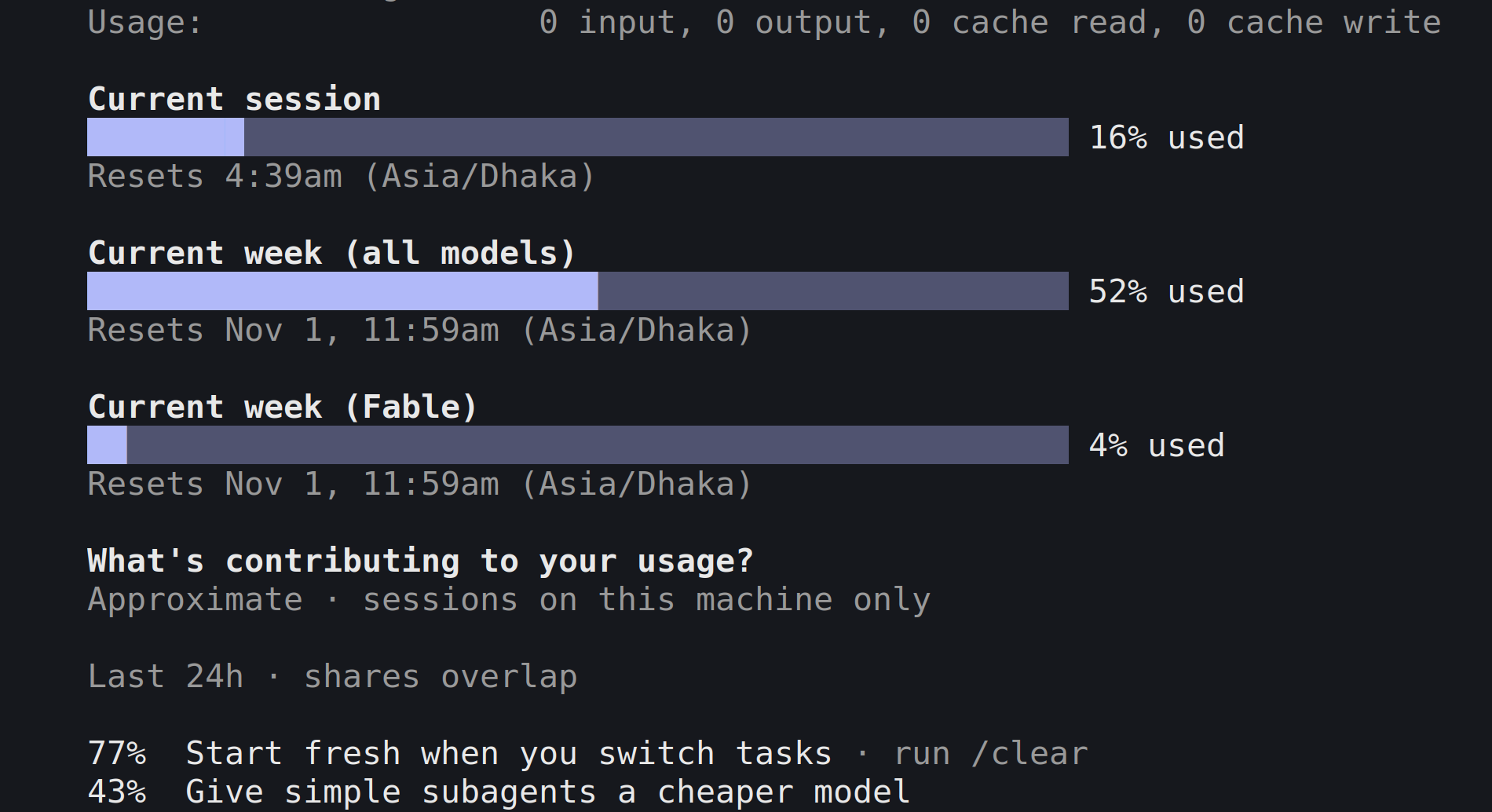
Paid plans have a five-hour session limit and a weekly limit, shared by claude.ai, Claude Code and the desktop app. /usage in Claude Code shows both:
Tap the picture to see it full size
- 1The five-hour session: how much is used, and when it resets
- 2The weekly limit
- 3Claude Code's own advice from my last 24 hours: start fresh when you switch tasks
Five ways to save tokens
- New topic, new chat (
/clearin Claude Code). Mark 3 above: Claude Code says most of my usage went here. - Everything in the first message: background, files, and all related questions.
- Go back instead of correcting. Edit your earlier message rather than adding “no, I meant…”, so the wrong answer leaves the chat. In Claude Code: Esc twice (
/rewind). - Reused documents go in a Project: they are cached and count less.
- Switch off extras you don’t need: web search, connected apps, extended thinking, high effort.
When to compact
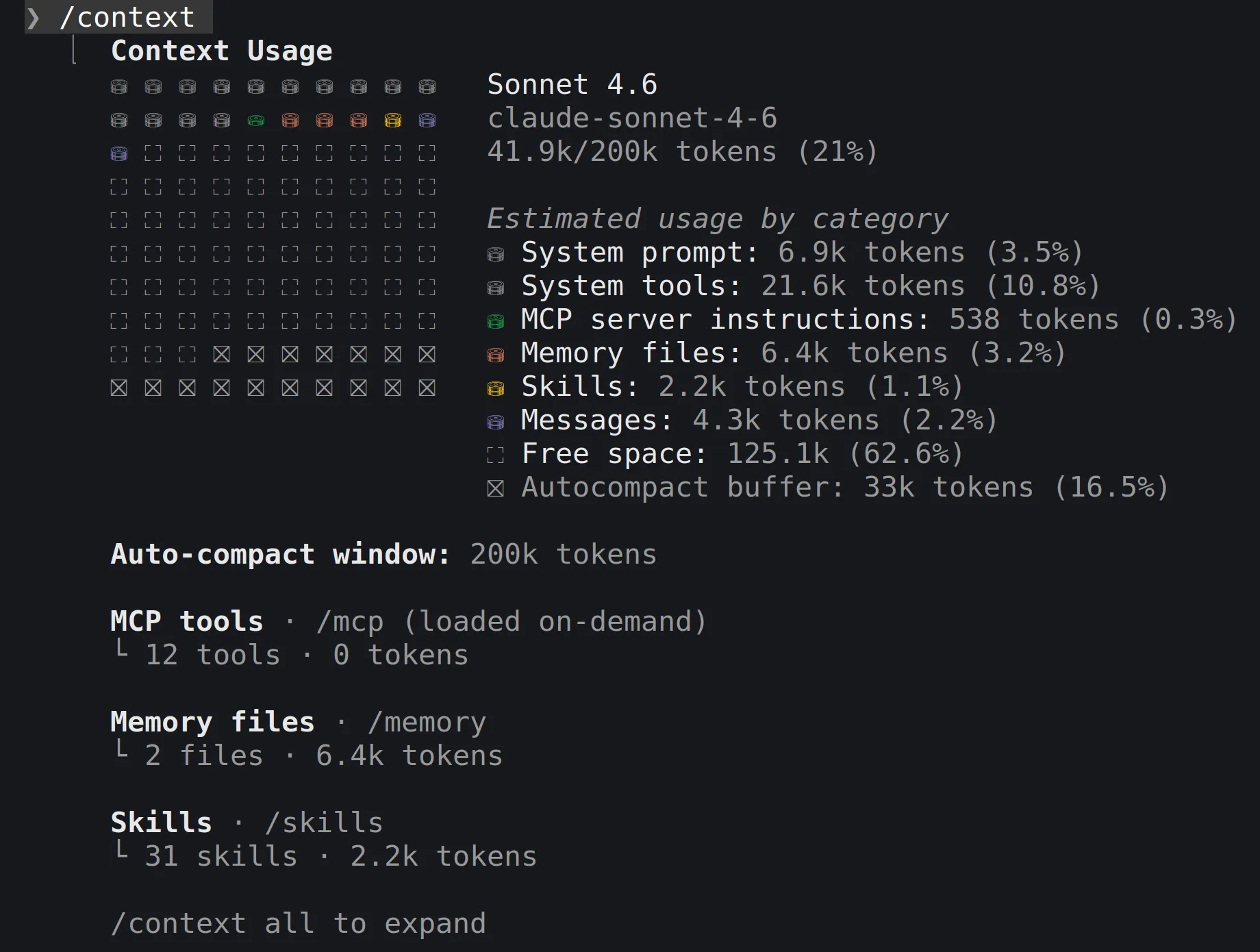
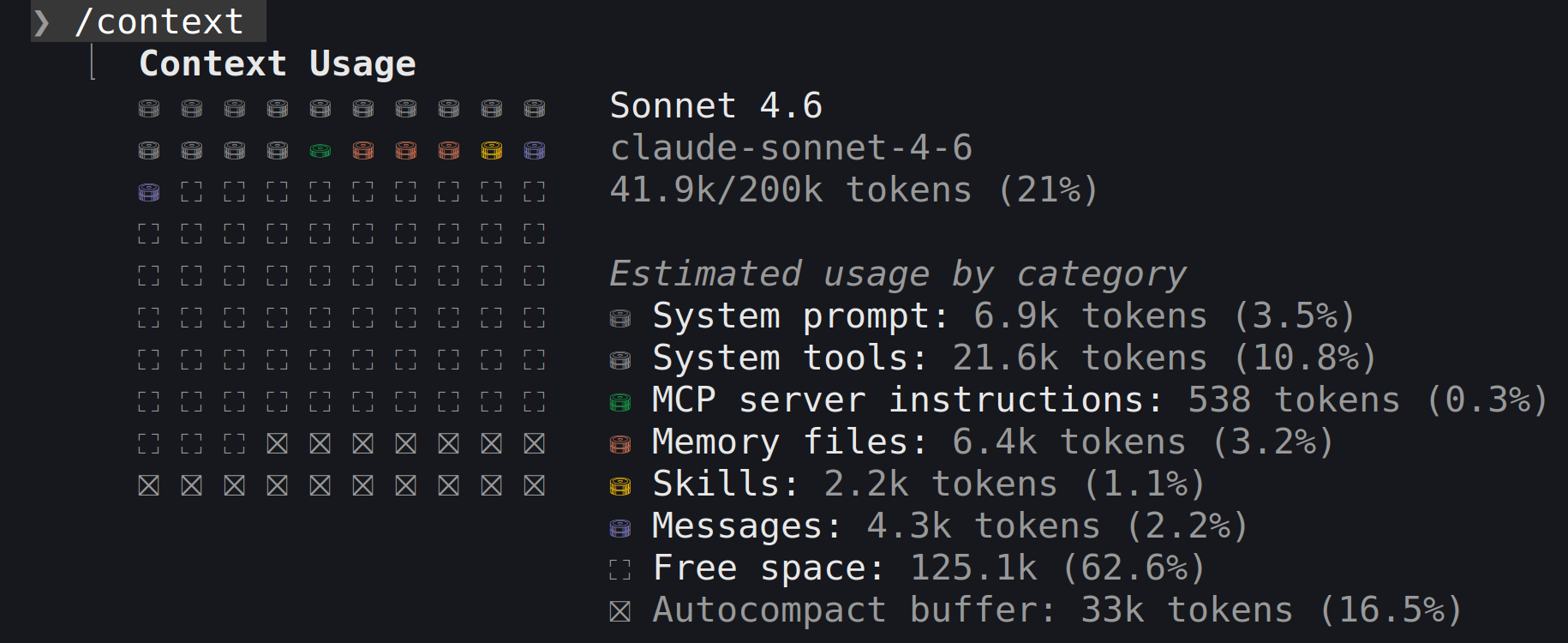
The context window is Claude’s working memory (up to 1M tokens on the newest models). /context shows how full it is:
Tap the picture to see it full size
- 1Total used: 41.9k of 200k tokens
- 2Space kept free for automatic compacting
- claude.ai compacts by itself near the limit (“organizing its thoughts”), which uses more of your limit. A new chat is usually cheaper.
- Claude Code:
/clearfor a new task. For the same task in a bloated session,/compactat a natural break and say what to keep:

Tap the picture to see it full size
- 1/compact with what to keep, and the result
Don’t wait for automatic compacting mid-task: the Claude Code team says that is when the summary is weakest, because Claude can’t tell where your work goes next.
The 60-minute cache
On a subscription, Claude Code caches your conversation for one hour, and each message restarts the clock. After a longer gap, your next message reprocesses the whole conversation at full price.
- Lunch or a meeting? Finish the step first, or
/compact. - Back after hours to a huge session?
/clearplus a three-line note of where you are is cheaper. - Paying with usage credits beyond your plan? The cache drops to five minutes.
Sources
- Claude Help Center, How do usage and length limits work?: five-hour and weekly limits, automatic context management.
- Claude Help Center, Usage limit best practices: Project caching.
- Claude Help Center, How large is the context window on paid Claude plans?
- Claude Help Center, Models, usage, and limits in Claude Code:
/clearand/compact. - Claude Code Docs, How Claude Code uses prompt caching: the one-hour cache.
- Anthropic, Using Claude Code: session management and 1M context: rewind, and compacting with a hint.
Screenshots and steps checked: . AI answers can be wrong. For anything that matters, such as money, health, law or exams, always check against the original source or an expert. Never give any AI your password, PIN, national ID or bank details.